
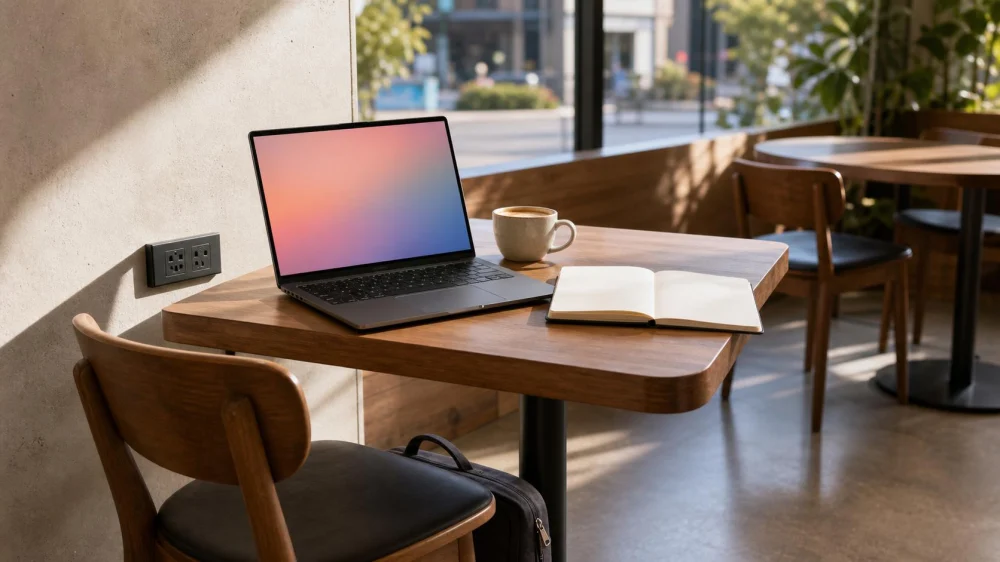
Working From a Sydney Café: Wi-Fi, Seating, and Courtesy
Table of contents
Quick answer: Before working from a Sydney café, check whether laptops, Wi-Fi, power use, and longer stays are welcome. Choose a quiet off-peak period, order appropriately, occupy only the space you need, and leave when tables are required. Protect confidential information, use your own secure connection when necessary, and never create trip hazards with bags or charging cables.

Georgie Boy's Coffee Co - Westfield Sydney Central Plaza
SydneyCouncil of the City of SydneyNew South Wales
450 George St, Sydney NSW 2000, Australia
Choose a suitable café
Not every café is designed as a workspace. A small venue may depend on fast table turnover, while a larger café may have communal seating and explicit laptop hours. Look at the current website or social updates, but confirm important details directly because policies and layouts change.
Consider noise, table size, chair comfort, lighting, mobile reception, toilets, accessibility, and distance from transport. A beautiful café can still be unsuitable for a video call or focused work. If you need several hours, a library, coworking space, hotel lobby with permission, or serviced office may be more reliable.

Ask before setting up
Order first, then ask staff whether laptop use is welcome and where they prefer you to sit. Check for time limits, laptop-free tables, minimum orders, Wi-Fi instructions, and power rules. Do not assume an unused socket is available to customers.
- Ask whether the table is reserved later.
- Confirm whether calls or online meetings are permitted.
- Choose a small table unless staff direct you elsewhere.
- Keep doorways, service paths, and accessible seating clear.
If staff say the venue is not suitable for work, accept the answer and choose another location. Buying one drink does not override the café's seating policy.
Order and manage time
Match your stay to the venue and the amount ordered. There is no universal purchase-per-hour rule, so observe table demand and ask staff when unsure. During a quiet period, a longer stay may be fine; during a queue, releasing the table can be the considerate choice.
Set a timer for your intended session and check conditions between tasks. Order at the counter or table according to the café's service model. Keep the bill or table marker visible as directed, and settle payment before becoming absorbed in work.
Use Wi-Fi and power carefully
Ask for the official network name rather than joining a similarly named connection. Public Wi-Fi may be unreliable or insecure. Avoid sensitive transactions unless you use a trusted connection and appropriate security, and keep your device updated.
Use only an undamaged charger that suits local electrical requirements. Keep the cable close to the wall or table and entirely out of walking paths. Do not unplug café equipment, move furniture to reach a socket, use a multi-board, or stretch a lead across an aisle. Battery power or a permitted personal power bank is often simpler.
Protect privacy and gear
Position the screen so other customers cannot easily read it, lower your voice, and use headphones at a modest volume. Do not discuss confidential client, health, financial, employment, or personal information in an open dining room. A privacy screen can reduce casual viewing but does not make the setting private.
Keep your phone, wallet, and laptop within reach. Take valuables with you when ordering or using the toilet rather than asking an unfamiliar customer to guard them. Store the bag under the chair or table without blocking feet or staff.
Share the space
Use headphones for audio and keep calls brief. If a meeting needs sustained conversation, book an appropriate venue. Avoid spreading papers across extra seats, filming other customers, or turning the table into a product display.
Clear cups and plates only according to the café's system. Wipe up minor dry crumbs, alert staff to spills, and leave the furniture where it belongs. Thank staff and consider becoming a regular through consistent, respectful visits rather than treating one table as a permanent desk.
Limitations and safety
Wi-Fi, sockets, seating, and permission can change without notice. The café is a food-service business, not a guaranteed office. Follow staff directions during busy periods or emergencies, keep exits open, and stop using any hot, damaged, sparking, or unstable electrical item. For critical work, arrange a backup location and connection.
Frequently asked questions
How long can I work from one café?
There is no standard limit. Ask about the venue's policy, monitor demand, order appropriately, and move on when staff need the table.
Is it acceptable to take a video call?
Only if the café allows calls and you can speak quietly without exposing confidential information. A coworking booth is better for a long or sensitive meeting.
Can I plug into any visible outlet?
No. Ask first. The outlet may be reserved for equipment, unsuitable for customer access, or positioned where a cable creates a hazard.
Next steps
- Choose a spacious café during an off-peak period.
- Ask about laptops, time limits, calls, Wi-Fi, and power.
- Order before setting up and use one suitable seat.
- Secure your connection, information, charger, and belongings.
- Watch table demand and leave the space ready for others.


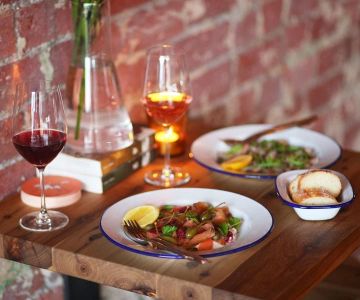
 Georgie Boy's Coffee Co - Westfield Sydney Central Plaza4.0 (56 reviews)
 Metropole Cafe4.0 (1020 reviews)
 Hanaichi Sydney Central Plaza4.0 (12 reviews)
 Parlour4.0 (581 reviews)
 THE TERNARY RESTAURANT4.0 (1011 reviews)
 FISHBOWL - Pitt St Mall3.0 (112 reviews)
 The Best Café-Restaurant Hybrids in Australia for Relaxed Dining
 Best Restaurants in Melbourne for Romantic Evenings and Date Nights
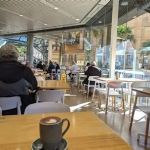 Top Cafes in Sydney for Work-Friendly Environments and Quiet Spaces
 Australian Restaurant Surcharges: What Diners Should Check
 The Best Italian Pasta-Bar Experiences in Australia for Authentic Vibes
 Top Cafeterias in Australia for Affordable and Convenient Meals Guide